
A difference needs at least 6 tasks where one side did better than the other. With fewer tasks, no difference can show, however many runs you add.
Answers
Comparisons opens with one sentence that answers your experiment’s question, and then one block for each difference: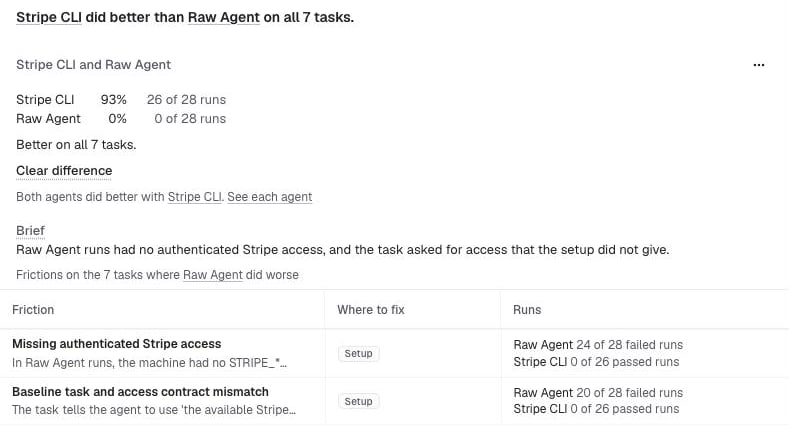
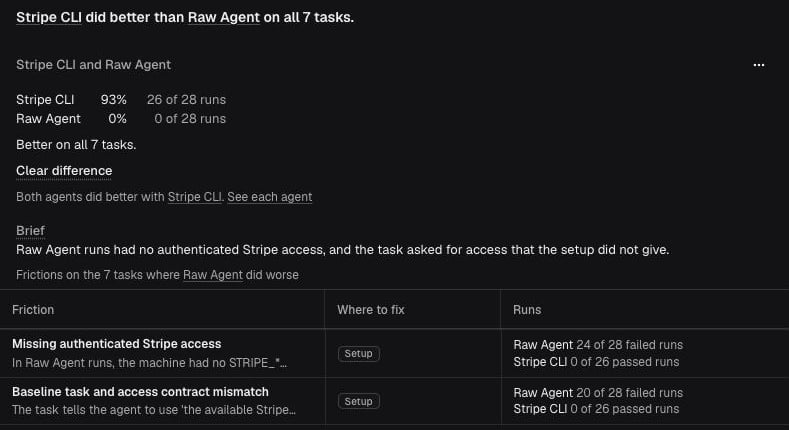
- “Stripe CLI did better than Raw Agent on all 7 tasks.”
- “Stripe MCP likely did better than Raw Agent on 6 tasks, same on 4.” A likely result is never stated as settled.
- “No treatment did clearly better than All official CLIs across all agents.”
Brief
When Insights has reviewed the runs, each difference’s block gets a Brief, up to 5 per experiment. Its sentence says what the side that did worse ran into, for example “Raw Agent runs had no authenticated Stripe access.” Under it, “Frictions on the 7 tasks where Raw Agent did worse” lists up to 3 frictions from that side’s runs, with how many of that side’s failed runs and the other side’s passed runs had each one (“Raw Agent 24 of 28 failed runs”, “Stripe CLI 0 of 26 passed runs”). Select a friction to open its suggested fix. A friction under a result was seen with the side that did worse. That doesn’t mean it caused the difference.- Copy as issue: a block with a Brief has a ⋯ menu. Copy as issue copies the difference as Markdown for GitHub or another tracker: its sides, result, sentence, frictions, and links, and in Agent mode the rows of What the runs did differently that the block shows first.
- After a fix: when a Clear difference lists a friction to fix in your product, After a fix, run the N tasks that differed again · N runs under the list opens a new experiment with those runs, so you can check your fix.
- What the runs did differently: with Insights in Agent mode (private beta), a block with a Brief ends with pairs of runs: on each task where that side did worse, one of its failed runs next to a passed run of the other side, and the step where they differ. Once every pair is read, the sentence says what the runs did across the tasks, and the section shows one example task and any task that went differently.
How the Brief is made
How the Brief is made
- Which frictions: a friction is listed when it’s in at least 3 runs of the side that did worse, on at least 2 tasks, and in a larger share of that side’s runs than the other side’s. The largest gap comes first. Runs that Insights didn’t review are left out, and a line under the list says how many. Frictions caused by an Obss error are left out.
- Numbers: Obss picks the differences and counts the runs. No model picks or counts anything.
- The sentence: your organization’s Experiment insights model writes it, with the model access of the person who started the Evals or Insights, and without your custom instructions. See Obss AI features. Obss rejects a sentence with a number or a claim of cause, and asks again. With Insights in Agent mode, once the insights agent has read every pair of runs of a difference, the sentence also reads their lines and says what the runs did across the tasks.
- Updates: Obss writes the Brief when the experiment, its Evals, and its Insights finish, and again each time Evals or Insights finishes. In Agent mode, it also writes the Brief again once, when the last pair of runs is read. Until a new sentence is ready, the old one is hidden. Only the latest Evals attempt shows a Brief.
Result labels
The result says how sure the answer is:
Point to a result to see what it means and its p-values. How results are decided explains the rules.
All comparisons
Under the blocks, All N comparisons lists every comparison in one table: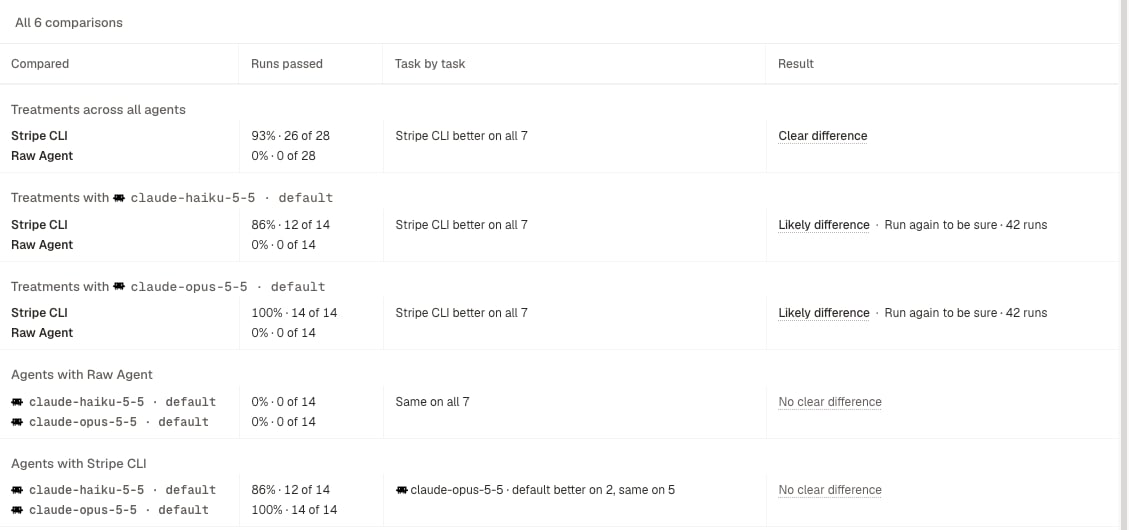
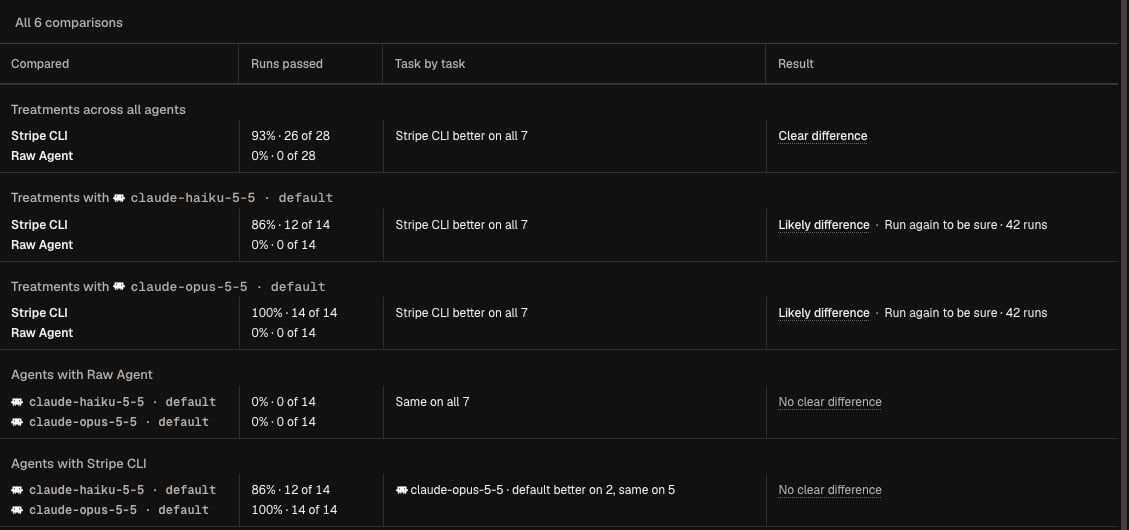
The rows are in groups:
With more than 6 agents, Obss doesn’t compare agents with each other.
Run a comparison again to be sure
You can run a Likely difference again: Obss plans a new experiment with the fewest runs needed to settle it. Launching it uses runs from your run balance. Run again to be sure · N runs appears once the experiment and its Evals finish, on the latest Evals attempt. A Likely difference shows Needs more tasks to be sure instead when fewer than 6 of its tasks can still show a difference, or when settling it would take more than 10 runs of each task.- Dashboard
- CLI
- Plugin (MCP)
On the block’s result line, or on its row in All N comparisons, select Run again to be sure · N runs. New experiment opens with those runs selected. Check the run count in the footer, then select Launch.If the comparison can no longer be run again, for example because Evals ran again or a treatment was deleted, Comparisons reopens with a note that explains why.
What the new experiment includes
What the new experiment includes
- Tasks: every task from the comparison that can still show a difference, with at least 6. A task is left out when it already ran at least 4 times on both sides together, and every run passed or every run failed.
- Sides: the comparison’s treatments and agents. For all agents together, every agent.
- Runs each: the fewest that are likely to settle the difference, from the experiment’s own (at least 3) up to 10.
- Versions: the experiment’s task versions, and each treatment’s current tools.
- Evals: on, with the mode, Evals model, and instructions of the Evals attempt that found the difference.
- Name: “Run again:”, followed by the comparison.
Empty states
When there’s nothing to compare, the tab shows one of these messages:
Public experiment links don’t show Comparisons.
How results are decided
On the dashboard, open How results are decided under the table. It sums up the rules below and lists what applies to your experiment: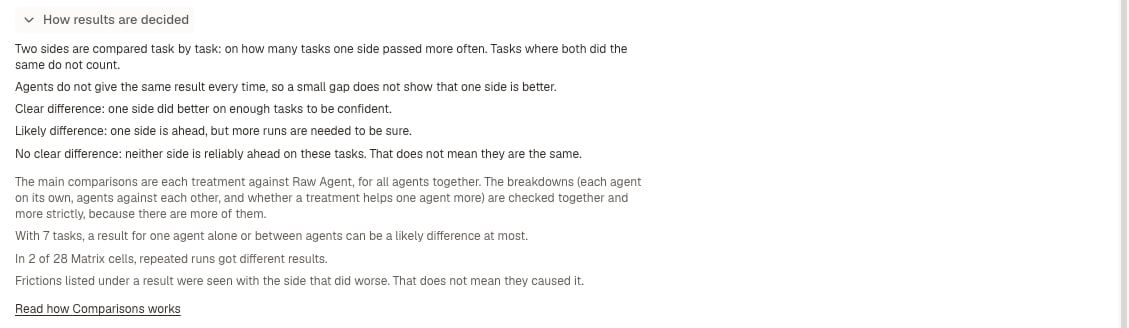
Main comparisons and breakdowns
The more comparisons an experiment makes, the more likely one of them shows a large gap that isn’t real. So Obss checks the comparisons in two groups, and applies the Holm correction within each group:- Clear difference: p-value below 0.05 after the correction within its group.
- Likely difference: below 0.05 before the correction, but not after.
- No clear difference: everything else.
From the CLI and the plugin
Each command gives the sentence first, then each difference, in the dashboard’s words. Its reference page lists every field.